
Vue.js Forms and Input Handling
Handling forms and user input is one of the most essential aspects of building interactive applications. Vue.js provides several features that simplify working with forms, including two-way data binding, form input types, validation, and form submission handling.
Introduction to Vue.js Forms and Input Handling
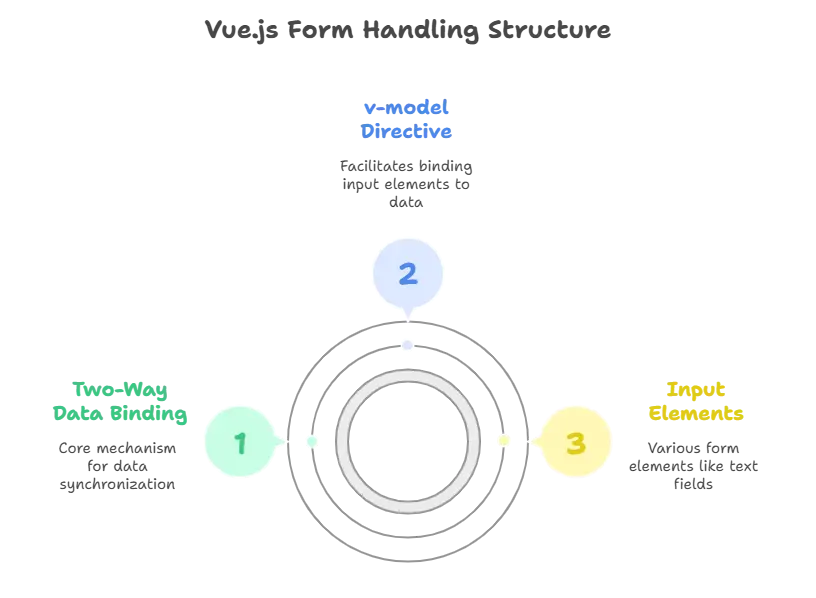
Vue.js makes form input handling seamless by leveraging its powerful two-way data binding feature. This feature ensures that any changes in the form input are immediately reflected in the data model and vice versa, without requiring manual DOM manipulation.
Vue provides v-model, a directive that binds input elements like text fields, checkboxes, radios, and more to the Vue instance’s data. Let’s break down how this works in practice.
Basic Input Binding with v-model
The simplest form of input handling in Vue is through the v-model directive. This directive automatically sets up two-way data binding between the input element and a Vue instance’s data property.
Example:
					<div id="app">
  <input v-model="message" placeholder="Enter some text">
  <p>Your message: {{ message }}</p>
</div> <script type="litespeed/javascript">new Vue({el:'#app',data:{message:''}})</script>
Explanation:
- The
v-modeldirective binds the input field to themessageproperty in the Vue instance. - Whenever the user types into the input field, the
messageproperty is automatically updated. - The
{{ message }}interpolation is updated in real time to reflect the current value.
Output:
- As the user types in the input field, the text displayed in the paragraph updates in real-time.
Handling Different Input Types
Vue’s v-model can handle various types of input fields like text, checkboxes, radio buttons, and more. Let’s explore how to work with each of these.
1. Text Inputs:
Text input is the most common type of form field, which we’ve already covered in the basic example above.
2. Checkbox Input:
Checkboxes can be handled easily using v-model. You can bind a boolean value or an array for multiple checkboxes.
Example:
					<div id="app">
  <label>
    <input type="checkbox" v-model="checked"> Check me
  </label>
  <p>Checked: {{ checked }}</p>
</div> <script type="litespeed/javascript">new Vue({el:'#app',data:{checked:!1}})</script>
Explanation:
- The
checkeddata property is bound to the checkbox. When the checkbox is toggled,checkedupdates automatically.
Output:
- The checkbox state is dynamically reflected in the paragraph text.
3. Radio Button Input:
For radio buttons, you can bind a single value to the group of radio inputs using v-model.
Example:
					<div id="app">
  <label>
    <input type="radio" v-model="picked" value="Option A"> Option A
  </label>
  <label>
    <input type="radio" v-model="picked" value="Option B"> Option B
  </label>
  <p>Picked: {{ picked }}</p>
</div> <script type="litespeed/javascript">new Vue({el:'#app',data:{picked:''}})</script>
Explanation:
- The
v-modeldirective binds thepickeddata property to the selected radio button. - As the user selects an option, the
pickedproperty updates accordingly.
Output:
- The selected option is displayed below the radio buttons.
Handling Select Inputs
Vue.js makes it easy to handle <select> dropdowns as well. You can bind a v-model directive to the selected value.
Example:
					<div id="app">
  <select v-model="selected">
    <option disabled value="">Please select one</option>
    <option>A</option>
    <option>B</option>
    <option>C</option>
  </select>
  <p>Selected: {{ selected }}</p>
</div> <script type="litespeed/javascript">new Vue({el:'#app',data:{selected:''}})</script>
Explanation:
- The
v-modeldirective binds theselecteddata property to the selected option in the dropdown. - The default disabled option acts as a placeholder until a valid selection is made.
Output:
- The selected option will be displayed below the dropdown.
Binding Input to Multiple Checkboxes
If you have a group of checkboxes and want to bind them to an array, Vue makes this easy.
Example:
					<div id="app">
  <label><input type="checkbox" v-model="checkedNames" value="John"> John</label>
  <label><input type="checkbox" v-model="checkedNames" value="Paul"> Paul</label>
  <label><input type="checkbox" v-model="checkedNames" value="George"> George</label>
  <label><input type="checkbox" v-model="checkedNames" value="Ringo"> Ringo</label>
  <br>
  <p>Checked names: {{ checkedNames }}</p>
</div> <script type="litespeed/javascript">new Vue({el:'#app',data:{checkedNames:[]}})</script>
Explanation:
- The
checkedNamesarray is updated whenever a checkbox is checked or unchecked. - Each checkbox corresponds to a value that is added or removed from the array.
Output:
- The checked names will appear in real-time as an array in the paragraph.
Input Modifiers in Vue.js
Vue.js provides a set of modifiers that help you fine-tune how v-model works. Some commonly used input modifiers include:
.lazy: Updates the model only after thechangeevent, not after every input..trim: Automatically trims the user input (removes whitespace)..number: Automatically converts the input value to a number.
Example with Modifiers:
					<div id="app">
  <input v-model.lazy="message" placeholder="Lazy Input">
  <input v-model.trim="text" placeholder="Trimmed Input">
  <input v-model.number="age" placeholder="Age (Number)">
  <p>Message: {{ message }}</p>
  <p>Trimmed Text: {{ text }}</p>
  <p>Age: {{ age }}</p>
</div> <script type="litespeed/javascript">new Vue({el:'#app',data:{message:'',text:'',age:''}})</script>
Explanation:
.lazy: Updatesmessageonly after the input loses focus..trim: Automatically removes leading and trailing spaces from thetextinput..number: Converts the input into a numeric value forage.
Form Submission Handling
Handling form submissions in Vue is straightforward. You can prevent the default behavior of form submission using Vue’s event modifiers.
Example:
					<div id="app">
  <form @submit.prevent="submitForm">
    <input v-model="name" placeholder="Enter your name">
    <button type="submit">Submit</button>
  </form>
  <p>Form submitted with name: {{ name }}</p>
</div> <script type="litespeed/javascript">new Vue({el:'#app',data:{name:''},methods:{submitForm(){alert("Form submitted: "+this.name)}}})</script>
Explanation:
- The
@submit.preventdirective prevents the form’s default submission behavior. - The
submitFormmethod is executed when the form is submitted, displaying an alert with the user’s name.
Output:
- After submitting, an alert box with the entered name appears.
Input Validation
Vue.js doesn’t have built-in form validation, but you can easily implement it using custom logic.
Example:
					<div id="app">
  <form @submit.prevent="checkForm">
    <input v-model="name" placeholder="Enter your name">
    <span v-if="errors.length">
      <p v-for="error in errors">{{ error }}</p>
    </span>
    <button type="submit">Submit</button>
  </form>
</div> <script type="litespeed/javascript">new Vue({el:'#app',data:{name:'',errors:[]},methods:{checkForm(){this.errors=[];if(!this.name){this.errors.push("Name is required.")}else{alert("Form submitted!")}}}})</script>
Explanation:
- The
checkFormmethod checks whether thenamefield is empty. - If the field is empty, an error is displayed. Otherwise, the form submits successfully.
Output:
- If the user leaves the name field empty and submits, an error message will appear. If a valid name is entered, the form will be submitted.
Deep Dive into Custom Components for Form Handling
In more complex applications, it’s useful to encapsulate form inputs into reusable components. Vue.js allows you to create custom form components that can handle inputs and validations.
Example:
					Vue.component('input-text', {
  props: ['value'],
  template: `
    <div>
      <input v-bind:value="value" v-on:input="$emit('input', $event.target.value)" placeholder="Enter text">
    </div>
  `
});

new Vue({
  el: '#app',
  data: {
    userInput: ''
  }
});
Explanation:
- The
input-textcomponent accepts avalueprop and emits aninputevent to communicate with the parent. - This setup allows you to use
v-modelon custom components.
Vue.js provides a comprehensive and efficient way to handle form inputs using v-model. From simple text inputs to complex form validation, Vue.js makes it easy to bind data, handle form submission, and validate input. By leveraging custom components and Vue’s input modifiers, you can build complex and reusable form components with ease. Happy Coding!❤️